Chances are you’ve probably heard of WordPress. 35% of the internet’s websites are powered by WordPress. So what makes it such a popular choice for building websites? It is very easy to get a WordPress site up and running quickly, it makes creating and managing a site relatively easy, and can be inexpensive to host and maintain.
WordPress offers a range of features for creating a website and managing its content. At Craft Pixel, we use WordPress only as a content management system. If you’re not familiar with the term, a content management system, or CMS, is about what it sounds like. It allows you to manage the content of your website. Let’s explore what that means.
When we build websites for clients, we need to give them a way to easily add and edit the content on their site. “Content” is a general term, and each client’s content is going to vary depending on their needs. In the case of the Craft Pixel sample site, the content consists of blog posts and store items.
WordPress makes it super easy for our clients to log in, view their site’s existing content, and edit/add to that content. Once they have completed those changes, they simply push a button to publish changes to their site.
To illustrate that process, let’s get a bit meta and see what it’s like to write and publish this blog post. First things first, we have to log in to the WordPress CMS.

Once logged in, we can click on the Posts tab to see a list of blog posts. From here we can see when a post was last edited or published, edit or delete a post, or start to write a new post. Let’s click on the draft of this post to continue writing.

The post editing page gives you all the tools you need to create and edit a blog post. You can easily add many types of content to the post; things like images, quotes, videos, and much more.

Once the post is finished, we simply click the Publish button, and the blog post will automatically be added to the site! Hopefully that gives you a high level overview of what it’s like to create and manage content within WordPress.
As we mentioned before, WordPress isn’t just for managing content like blog posts. We can configure WordPress to manage virtually any type of content! The content could be store items, videos, calendar events, you name it. WordPress is flexible enough to handle it all. We will work closely with you to understand your needs and build your WordPress CMS to make it easily to manage and publish your content, whatever it may be.
WordPress Handles Content, We Handle the Rest
On a traditional WordPress site, WordPress will take your content and build out your site’s front-end (what visitors see). While that may be a good solution if you don’t know how to build a website, at Craft Pixel, we prefer to build the site’s front-end ourselves.
As we’ve explained WordPress is great at managing content, but the websites WordPress can build from that content have their limitations. WordPress is limited on how customizable the site’s styling and interactions can be. An experienced WordPress developer can push the boundaries of customization. But we believe there are better tools for the job that we prefer to use.
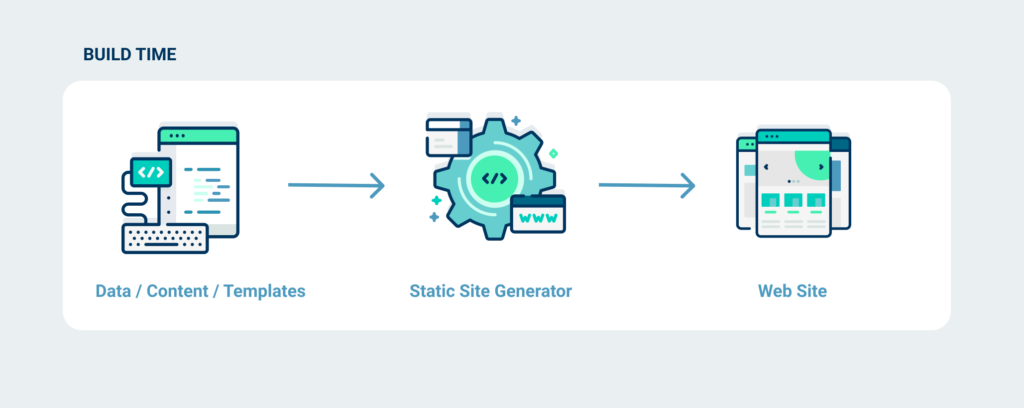
At Craft Pixel we use Gatsby to build the site itself. Gatsby pulls in the content from WordPress and builds out the site. This gives us the best of both worlds: an easy-to-use CMS for managing content with WordPress and a super flexible, modern front-end to our site with Gatsby. If you haven’t already, check out our last post to read about some of the excellent features we get from building sites with Gatsby.
That’s it Folks
We hope these blog posts have helped build an understanding of who Craft Pixel is and the quality of work we can provide.
If you think we would be a good fit for building your next website, please reach out. We would love to hear from you!